
Staff scheduling software for small business
A workable staff schedule starts with coverage, availability, and a clear way to handle changes. Here’s how to build that process, and where Rotara’s shift publishing, swaps, clock-in, and conflict checks fit.
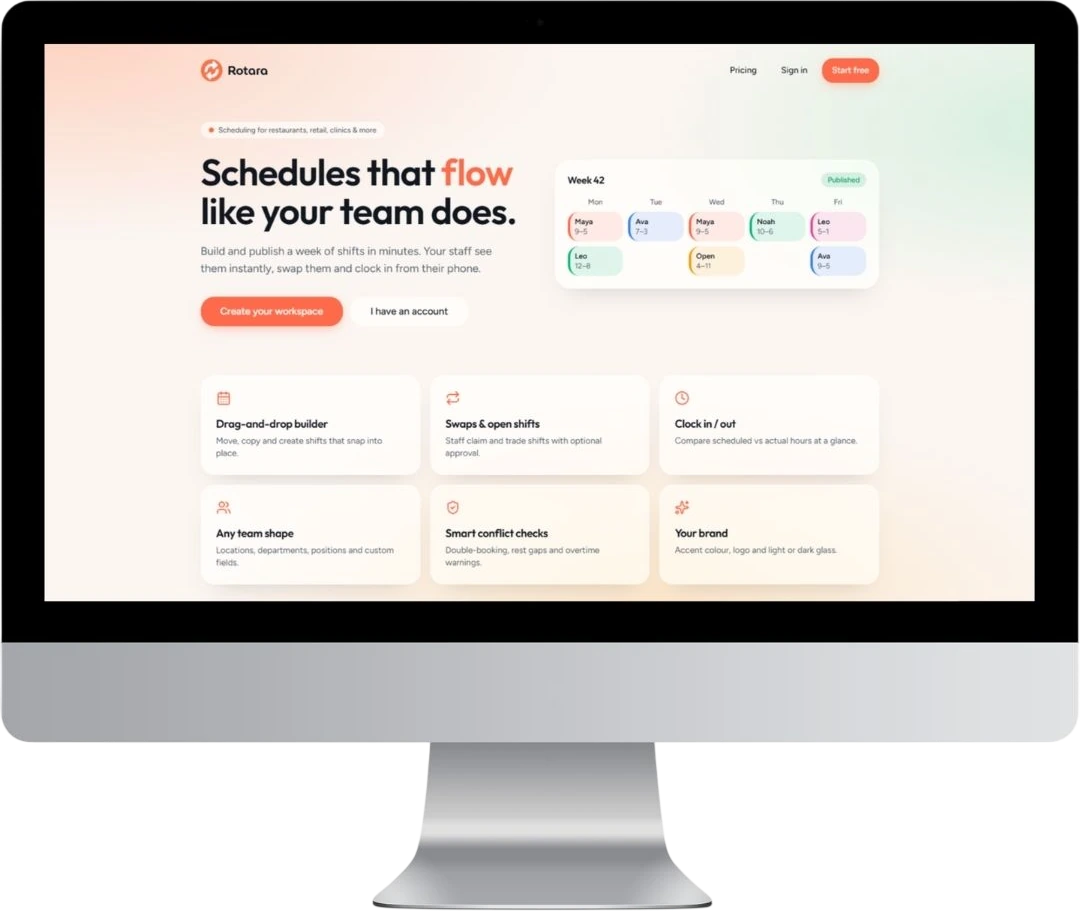
Start with the schedule your business needs
For a small team, one absence or overlapping shift can leave a gap. Before choosing software, write down when the business needs people, which roles each shift requires, and who is available. A rota is not just a list of names: it is a plan for covering the work.
Staff scheduling means assigning employees to working shifts. It is different from customer appointment booking. If your main problem is covering a shop, hospitality team, or another shift-based operation, evaluate a tool against that workflow rather than its booking features.
A practical weekly scheduling routine
Map coverage before assigning names
List each day’s opening hours, busy periods, and required roles. For example, a small shop might need two people during a busy period and a designated person to close. This is a planning example, not a staffing recommendation for every business.
Gather availability and build the shifts
Check planned leave and the hours people can work before drafting the rota. Rotara documents shift building and publishing. Keep your team’s availability alongside the draft, and check that every required role has coverage.
Review conflicts before publishing
Look for overlapping assignments, uncovered periods, and shifts a person cannot work. Rotara includes conflict checks; test which situations those checks identify in your own workflow. Do not assume they replace a manager’s review or checks against applicable employment rules.
Publish a clear version of the rota
Agree on a regular publication time and where staff should look for the current schedule. Use Rotara’s shift publishing as part of that routine. When a shift changes, make sure the affected people know which version they should follow.
Set a process for shift swaps
Decide who checks a proposed change and how coverage is confirmed. Rotara offers shift swaps, but your business still needs a policy for who may cover each role. Try a realistic swap before relying on the workflow for a busy week.
Review the week using clock-in
Rotara includes clock-in. Compare your planned coverage with the attendance information available in the product, then investigate differences with the team. Confirm what records and reporting are available before depending on them for another business process.
What to check before choosing scheduling software
Use one real week from your business as a trial scenario. A tool that fits your team should work for an ordinary week and for the changes that happen during it.
- Can you build and publish the shifts and roles your team actually needs?
- Can staff find the current rota, and can you manage a changed shift clearly?
- How does a swap work, and who checks that the replacement is suitable?
- Which conflicts are flagged, and which checks remain your responsibility?
- How does clock-in fit your working locations and devices?
- Are current pricing, access permissions, support, and any required integrations suitable? Verify these directly rather than assuming they are included.
Where Rotara fits
Rotara is Vibez Group’s customisable staff scheduling platform, described for teams of any size. Its documented features cover building and publishing shifts, shift swaps, clock-in, and conflict checks. Those are useful starting points for evaluating a small-business rota workflow - not a promise of automatic scheduling, payroll, or compliance.
Start with a draft week, review a conflict, and try a shift change. Use what you observe to decide whether the product fits your team.